
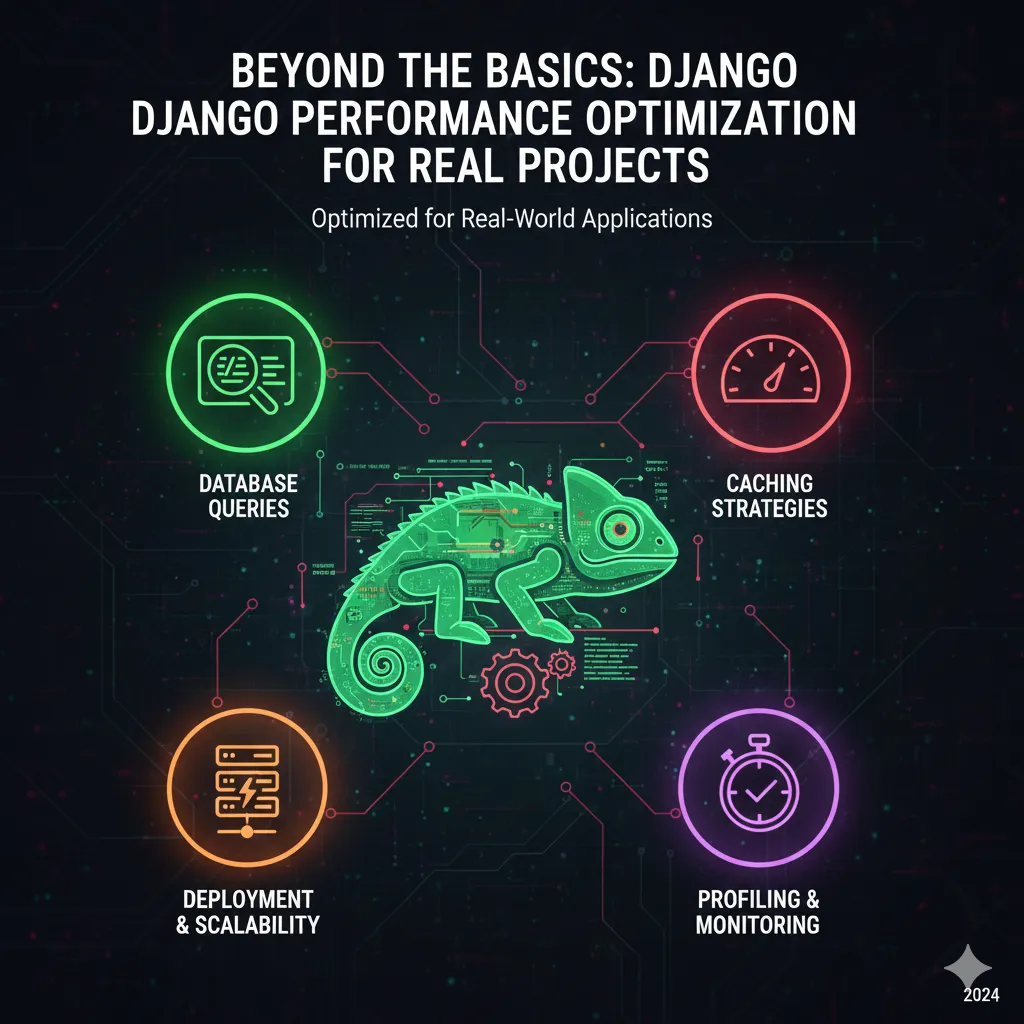
Ah, Django. The "web framework for perfectionists with deadlines." It's elegant, powerful, and remarkably productive. But even the most beautiful code, when scaled, can begin to groan under the weight of traffic, complex queries, or inefficient processes. I've been there. I've stared at a rapidly climbing error rate graph, felt the collective sigh of users experiencing slow page loads, and then dived deep into the guts of a Django application, armed with little more than a profiler and a cup of lukewarm coffee, determined to wring out every last millisecond of performance.
This isn't just about making your site "fast." It's about resilience, user experience, SEO, and ultimately, your bottom line. A slow application bleeds users, frustrates stakeholders, and makes every new feature feel like pushing a boulder uphill. Over the years, working on everything from small startups to high-traffic enterprise solutions, I've compiled a playbook of performance optimization strategies that go beyond the basic checkboxes. These are insights forged in the crucible of real-world projects, where theory meets the messy reality of production systems.
Let's strip back the layers and talk about how to truly unleash your Django application's potential.
The Database: The Usual Suspect (And Often the Culprit)
If your Django application feels sluggish, the database is almost always the first place to look. It’s where your data lives, and how you interact with it determines a huge chunk of your application's responsiveness. I've seen countless times where a single, poorly optimized query brought an entire system to its knees.
- Combatting the N+1 Problem with Precision:
This is perhaps the most famous performance killer in ORM-driven applications. You fetch a list of objects, and then, in a loop, you access a related object for each one. That's N+1 queries – one for the initial list, and N more for each related item. It’s insidious because it often doesn’t show up in development with small datasets but explodes in production. The solution lies in anticipating these relationships.
Instead of hitting the database repeatedly, instruct Django's ORM to fetch related objects in a single, more complex query by performing a database-level join. For ForeignKey and OneToOne relationships, you're looking to select and join related data upfront. For ManyToMany or reverse ForeignKey relationships where you have multiple related objects, you need a different approach. This strategy fetches the primary objects and their related data in separate, efficient queries, then intelligently stitches them together in Python. The key is to minimize database round trips.
- Indexing: Your Database's Secret Weapon:
Indexes are to your database what a table of contents is to a book. They allow the database to quickly locate specific rows without scanning the entire table. Without proper indexing, your database might have to sift through millions of rows to find what it's looking for, which is incredibly slow. My rule of thumb: index columns frequently used in WHERE clauses, ORDER BY clauses, and join conditions. Be careful not to over-index, as indexes add overhead to write operations (inserts, updates, deletes) and consume disk space. It's a delicate balance.
- Smarter Querying: Only What You Need, When You Need It:
Are you fetching all columns from a table when you only need two? This is a common oversight. Django's ORM offers powerful methods to retrieve only specific fields, reducing the amount of data transferred from the database server and minimizing memory usage in your application. Similarly, you can defer the loading of certain fields until they are explicitly accessed, useful for large text blobs or complex JSON fields that aren't always needed immediately. Another often-overlooked optimization is instructing the ORM to return dictionaries or tuples instead of full model instances when you just need raw data, bypassing the overhead of model instantiation.
- When the ORM Isn't Enough: Raw Power:
While Django's ORM is fantastic, there are rare occasions when it might not generate the most optimal SQL for a particularly complex query, or when you need to leverage highly specific database features. In such scenarios, don't be afraid to drop down to raw SQL. It's a powerful escape hatch, but use it judiciously. Raw SQL queries are harder to maintain, less portable across different database backends, and you lose the ORM's built-in safety nets. Always profile your raw SQL to ensure it's actually faster than an ORM equivalent before committing.
- Connection Pooling: Reducing Handshakes:
Establishing a new database connection for every request is an expensive operation. Connection pooling maintains a set of open, ready-to-use database connections that your application can draw from. This dramatically reduces the overhead associated with connection setup and teardown, especially under heavy load. Many production setups use external connection poolers, or your WSGI server might have options for this.
Caching: Your Application's Speed Booster
Caching is the ultimate "cheat code" for performance. It's about remembering the results of expensive operations so you don't have to perform them again. If the database is the biggest culprit, caching is your most potent weapon against it.
- A Layered Approach to Caching:
Don't think of caching as a single solution; think of it as a strategy involving multiple layers. From the database query results to rendered HTML fragments, and even full pages, each layer offers an opportunity to save precious milliseconds.
- Application-Level Caching:
Django provides a robust caching framework that allows you to cache arbitrary data. This is perfect for the results of complex computations, external API calls, or aggregated data that doesn't change frequently. You can store these results in a cache backend (like Redis or Memcached) with a defined expiration time. Furthermore, for purely in-memory, function-level caching within your Python code, there are built-in tools that can memoize function calls, which is incredibly effective for functions called repeatedly with the same arguments within a single request.
- Template Fragment Caching:
Have a sidebar, a navigation menu, or a user profile widget that's complex to render but doesn't change often? Cache just that part of your template! Django's template fragment caching lets you wrap sections of your templates, storing their rendered output. This means less work for your template engine on subsequent requests, translating to faster page loads. It's particularly useful for components that are common across many pages.
- Full Page Caching:
For pages that are entirely static or change very infrequently (e.g., landing pages, blog posts, publicly accessible content), full page caching is incredibly powerful. Django's cache middleware can automatically cache the entire response of a URL. This means subsequent requests for that page don't even hit your Django application; they're served directly from the cache. Use with caution for authenticated or highly dynamic content, as cache invalidation can become a challenge.
- External Caching Systems (Redis, Memcached):
While Django provides the framework, the actual heavy lifting of storing and retrieving cached data is often done by dedicated, high-performance caching servers like Redis or Memcached. These systems are designed for speed and can handle massive amounts of read/write operations with low latency. Redis, in particular, offers richer data structures and persistence options, making it a versatile choice for many applications beyond just simple key-value caching.
- The Cache Invalidation Conundrum:
"There are only two hard things in computer science: cache invalidation and naming things." This famous quote holds true. Knowing *when* to expire or invalidate cached data is crucial. Stale data is often worse than no data. Strategies include time-based expiration, explicit invalidation on data changes (using signals or custom hooks), and versioning cache keys. This is where a deep understanding of your application's data flow becomes vital.
Asynchronous Tasks: Offloading the Heavy Lifting
Not every operation needs to happen immediately as part of a user's web request. Long-running tasks, like sending emails, processing images, generating reports, or hitting external APIs, can block your web processes, leading to slow response times or even timeouts for users.
- The Problem with Synchronous Execution:
Imagine a user signing up, and your Django app immediately tries to send a welcome email, resize a profile picture, and notify five external systems. If any of those operations take more than a few milliseconds, the user waits. If they collectively take several seconds, the user gets frustrated or their browser times out.
- Enter Task Queues (e.g., Celery):
The solution is to decouple these operations from the request-response cycle using a task queue. When a user action triggers a long-running task, your Django application simply pushes a message to a message broker (like RabbitMQ or Redis) indicating that a task needs to be performed. A separate worker process (e.g., a Celery worker) picks up this message and executes the task asynchronously, in the background. The user's web request completes almost instantly, and they get immediate feedback.
- Common Use Cases:
- Sending email notifications (welcome emails, password resets)
- Image and video processing (resizing, watermarking, encoding)
- Generating complex reports or data exports
- Synchronizing data with third-party APIs
- Batch processing of data
- Scheduling recurring jobs (e.g., daily data backups)
- Monitoring Your Tasks:
Just like your web application, your task queue needs monitoring. Are tasks getting stuck? Are workers running out of memory? Is the queue growing uncontrollably? Tools and dashboards specifically designed for task queues can provide crucial visibility into the health and performance of your asynchronous operations.
WSGI Server & Deployment: The Unsung Heroes
Your Django code runs within a WSGI server (like Gunicorn or uWSGI), which acts as the interface between your web server (Nginx, Apache) and your application. How you configure this layer has a significant impact on concurrency and resource utilization.
- Gunicorn/uWSGI Configuration: Workers and Threads:
These servers allow you to configure the number of worker processes and, within each worker, the number of threads. More workers generally mean more concurrency, but they also consume more memory. The optimal configuration depends on your server's CPU cores, available RAM, and the nature of your application (CPU-bound vs. I/O-bound). It's a balance you'll need to fine-tune and experiment with. A common starting point is 2 * CPU_CORES + 1 workers, possibly with a few threads per worker if your application has I/O waits.
- Process Management:
Tools like Supervisord or systemd are essential for managing your WSGI server and task queue workers. They ensure your processes are always running, automatically restarting them if they crash, and handle graceful shutdowns during deployments.
- Containerization and Orchestration:
While not strictly a Django-specific optimization, deploying your Django application in Docker containers and orchestrating them with Kubernetes or similar tools offers unparalleled scalability and resilience. It simplifies environment consistency, resource allocation, and horizontal scaling. When your application needs to handle more load, you can simply spin up more instances of your Django container.
Frontend & Static Files: Every Millisecond Counts
Even if your backend is lightning-fast, a poorly optimized frontend can make your application *feel* slow. While Django is primarily a backend framework, it plays a role in how static assets are delivered.
- Efficient Static File Serving:
Django's development server serves static files, but this is a terrible idea for production. In production, your web server (Nginx, Apache) should directly serve static files. Libraries like Whitenoise can also serve static files efficiently from your Django application, and critically, apply Gzip compression and set appropriate caching headers. For truly global reach and speed, use a Content Delivery Network (CDN) to serve your static assets. A CDN caches your static files at edge locations closer to your users, drastically reducing latency.
- Minification and Compression:
Compress your static files (CSS, JavaScript, images) using tools like Gzip. Minify your CSS and JavaScript by removing unnecessary characters (whitespace, comments). Smaller files mean faster downloads.
- Leveraging Browser Caching:
Ensure your web server sets appropriate HTTP caching headers (e.g., Cache-Control, Expires) for static assets. This tells the user's browser how long it can cache these files, preventing unnecessary re-downloads on subsequent visits.
Monitoring, Profiling & Debugging: What You Can't Measure, You Can't Improve
You can't optimize what you don't understand. Robust monitoring and profiling are non-negotiable for identifying bottlenecks and verifying the impact of your optimizations.
- Django Debug Toolbar: Your Development Swiss Army Knife:
This fantastic tool is a must-have for local development. It provides invaluable insights into every aspect of your request: SQL queries executed, template rendering times, cache hits/misses, signals, and more. It helps you catch N+1 queries and other inefficiencies before they even reach staging.
- Application Performance Monitoring (APM) Tools:
For production, APM tools like New Relic, Sentry, Datadog, or Prometheus/Grafana are indispensable. They provide real-time visibility into your application's health, response times, error rates, database query performance, and resource utilization. They help you pinpoint exactly where your application is spending its time, allowing you to prioritize your optimization efforts based on actual production data.
- Logging for Insights:
Beyond error logging, structured logging can provide valuable performance insights. Log the duration of critical operations, external API calls, or long-running tasks. Aggregate these logs to identify trends and potential bottlenecks.
- Load Testing: Preparing for the Storm:
Before launching a major feature or expecting a surge in traffic, conduct load testing. Tools can simulate thousands of concurrent users hitting your application, helping you understand its breaking point, identify scalability issues, and verify if your optimizations hold up under pressure. It's far better to discover these issues in a controlled environment than when your site is live and burning.
General Best Practices & The Optimization Mindset
Beyond the technical levers, there's a mindset that truly elevates a developer's approach to performance.
- Avoid Premature Optimization:
This is crucial. Don't optimize code that isn't causing a problem. The fastest code is often the simplest and clearest code. Focus on readability and correctness first. Profile, identify bottlenecks, *then* optimize. Otherwise, you risk introducing complexity for little to no gain.
- Lazy Loading is Your Friend:
Django (and Python in general) encourages lazy evaluation. Don't load data or perform computations until they are absolutely needed. This is implicitly handled by the ORM in many cases, but be mindful of it in your own code.
- Middleware and Context Processors: Be Mindful:
Every piece of middleware and every context processor adds a small amount of overhead to every request. Review your installed middleware and ensure you're only using what's necessary. The order of middleware also matters, as some can short-circuit requests.
- Code Reviews with a Performance Lens:
Encourage your team to consider performance during code reviews. Questions like "Are we fetching too much data here?" or "Could this be cached?" should be part of the review process.
- Choose the Right Tools for the Job:
Sometimes, the "optimization" isn't about tweaking Django but about choosing a more performant tool for a specific task. For heavy data analytics, maybe a specialized data warehouse is better than your primary Django database. For real-time communication, perhaps WebSockets and Django Channels are more appropriate than repeated AJAX polling.
- Continuous Improvement:
Performance optimization isn't a one-time task; it's an ongoing journey. As your application grows, as traffic increases, and as requirements evolve, new bottlenecks will emerge. Regularly review your monitoring data, re-profile your application, and be prepared to iterate.
Wrapping Up
Optimizing a Django application is a blend of technical expertise, detective work, and an understanding of system architecture. It's about thinking critically about data flow, resource consumption, and user experience. There's no magic bullet; instead, it's a series of incremental improvements across various layers of your stack.
My advice? Start small. Pick one bottleneck, implement a solution, measure its impact, and iterate. You don't need to rewrite your entire application overnight. By steadily applying these strategies, you'll not only build a faster, more robust Django application but also gain a deeper understanding of how web systems truly perform under pressure. And trust me, the feeling of watching those performance graphs dive and user satisfaction climb? That's what makes all the digging and debugging worthwhile.